Completing your order
The order completion process confirms your order and requests additional information.
Products
The order review form will confirm the products you're booking.

Above: Products section of order review form
Sessions
The order review form will also show the session times you've booked.

Above: Sessions section of order review form
Your email
Your email is required to complete an order. It will be used to send you your receipt and any additional details of your order.

Above: Account information section of order review form
You won't be asked for your email if you're already logged in.
Your details
Additional details are requested at checkout; details required vary between venues.
Your access codes will be delivered by text message to the cellphone number entered here.
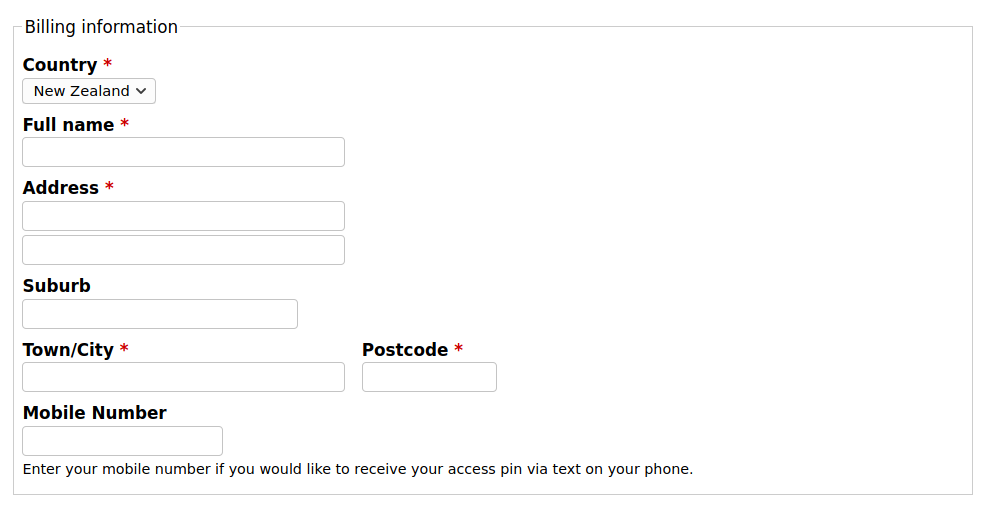
Above: Personal details section of order review form
Coupons
If you have a coupon to adjust pricing or recover a venue credit, you can enter that here.

Above: Coupon entry field
Continue
Once all that's done, you can continue to the next screen.

Above: Continue button
Confirm
A final confirmation screen will show you the selected session, cost and entered details.
If the venue (or your membership) offers multiple payment options, you can select a method here. For most users, there's no need to make a choice as only credit card payments are available.
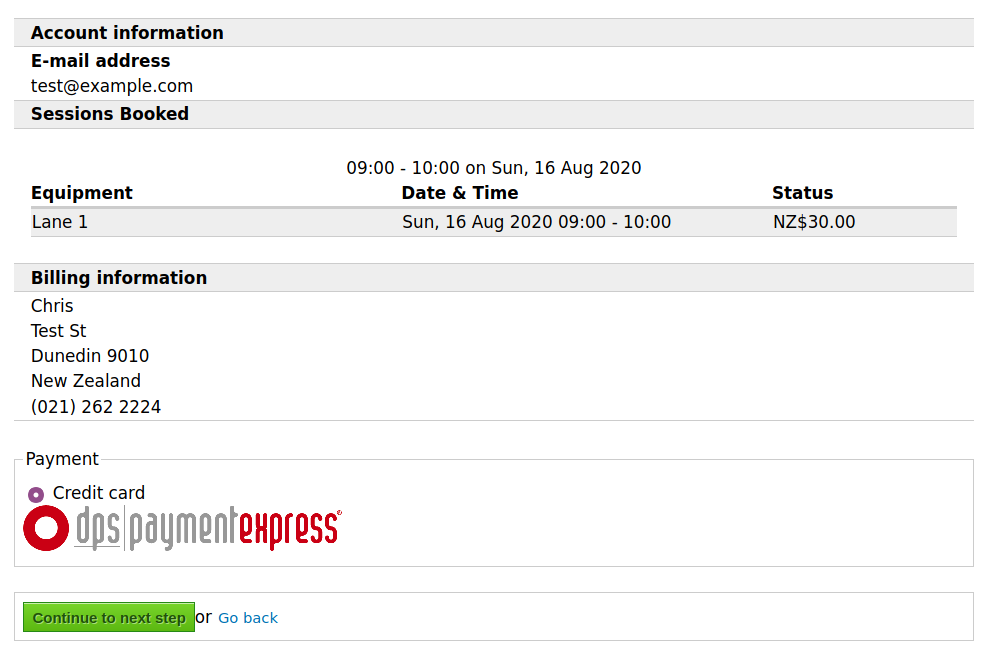
Above: Confirmation screen
Payment
You'll now see a familiar online payment screen where you'll enter your credit card details.
Payments on Bookanet are handled by external payment providers like Windcave and Stripe; Bookanet does not receive your credit card details.
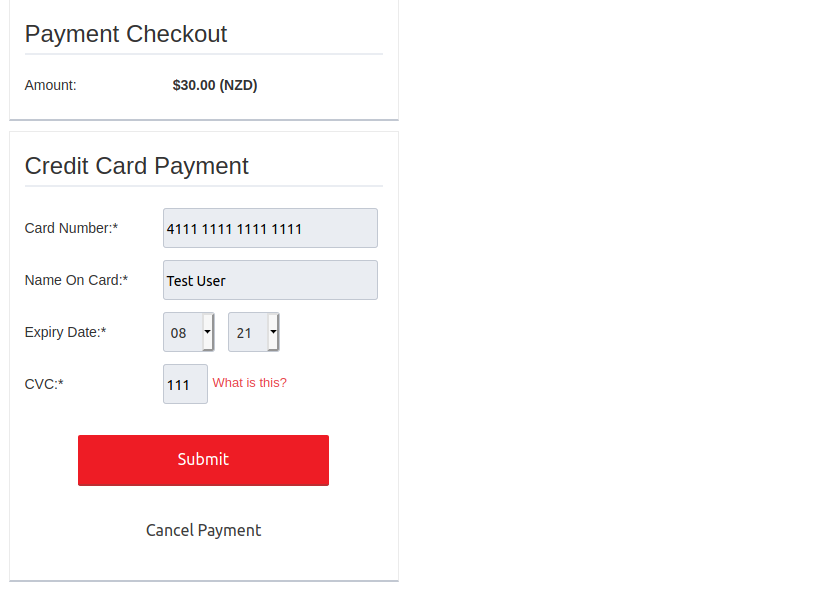
Above: Payment details (Windcave)
Complete the payment, then click Next to return to the booking site.
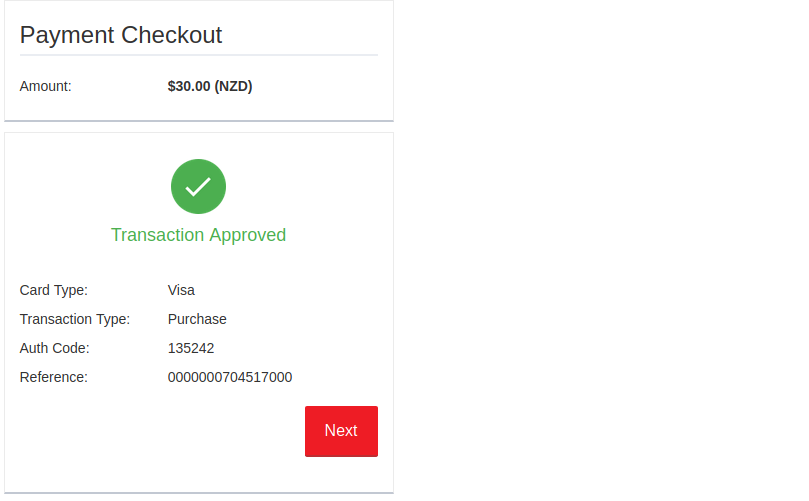
Above: Payment completed (Windcave)
Completed
Now your payment is complete. If the venue delivers access codes by text message you should receive them shortly; otherwise you'll be able to review your confirmation receipt by email.
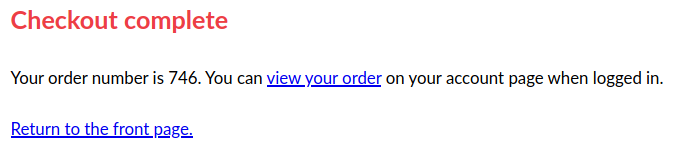
Above: Order completed
Next steps
- Receive your access codes by text message
- Manage your orders